A skill is a short set of instructions someone wrote so Claude handles a job the way an expert would. That is all it is. No plugin, no pipeline, no new model. I build automation engines at SigmaShift. Claude is my primary developer agent and my grounding layer. Gemini sits above it as CTO. In that setup, a skill is the cheapest way I know to make an agent behave the same way twice. Here is the framework. Each skill lives in a SKILL.md file with a name, a description, and the instructions. Claude reads only the name and description up front. The full instructions load only when your task matches. That means three things for you. Idle skills cost almost nothing. Relevant skills load on demand. Adding all nine does not slow anything down. Installing one takes six steps. Download the SKILL.md file. Go to claude.ai. Open Customise. Hit Add. Choose Upload a skill. Select the MD file. Done. To invoke one, name it in your message, like "use /kaizen on this pipeline." I got this wrong the first time by typing the skill into a chat and wondering why nothing happened. You upload it first. Now the nine, in order. /humanizer rewrites a draft so it reads like a person wrote it. I run it on outbound copy and documentation before anything ships. /brainstorming keeps asking questions until a rough idea becomes a real plan. Use it before you open an editor, when the idea is still a sentence and not a spec. /competitor-profiling builds a full profile of any competitor from their website. It fits lead research for the Sponsorship Engine: feed it a company site, get back a profile you can score and sort. /meeting-insights-analyzer reads meeting transcripts and shows speaking time and filler words. Run it on client calls and you will learn how much of your own meeting you spent talking. Mine was humbling. /youtube-transcript pulls the transcript from any YouTube video and summarizes it. It works well for niche scouting. You can skim twenty videos in a category without watching any of them. /thinking-second-order follows a decision past its first result to what happens after. Use it before an architecture decision. The first-order win is easy to see. The second-order cost is the one that bites you in month three. /kaizen finds what is slowing a process down and what to fix first. Point it at a slow pipeline. It ranks the bottlenecks, so you stop optimizing the part you happen to enjoy. /launch plans a product or feature launch start to finish. It gives you the sequence, the dependencies, and the checks, so nothing important gets left for launch day. /eli5 explains any topic in plain, simple language. I use it to check my own understanding. If it cannot be explained simply, I do not understand it yet. One file gives you a prompt you retype every time. Nine files give you a team that remembers how you work.
Feed
4Nine Claude Skills That Earn Their Place in My Stack
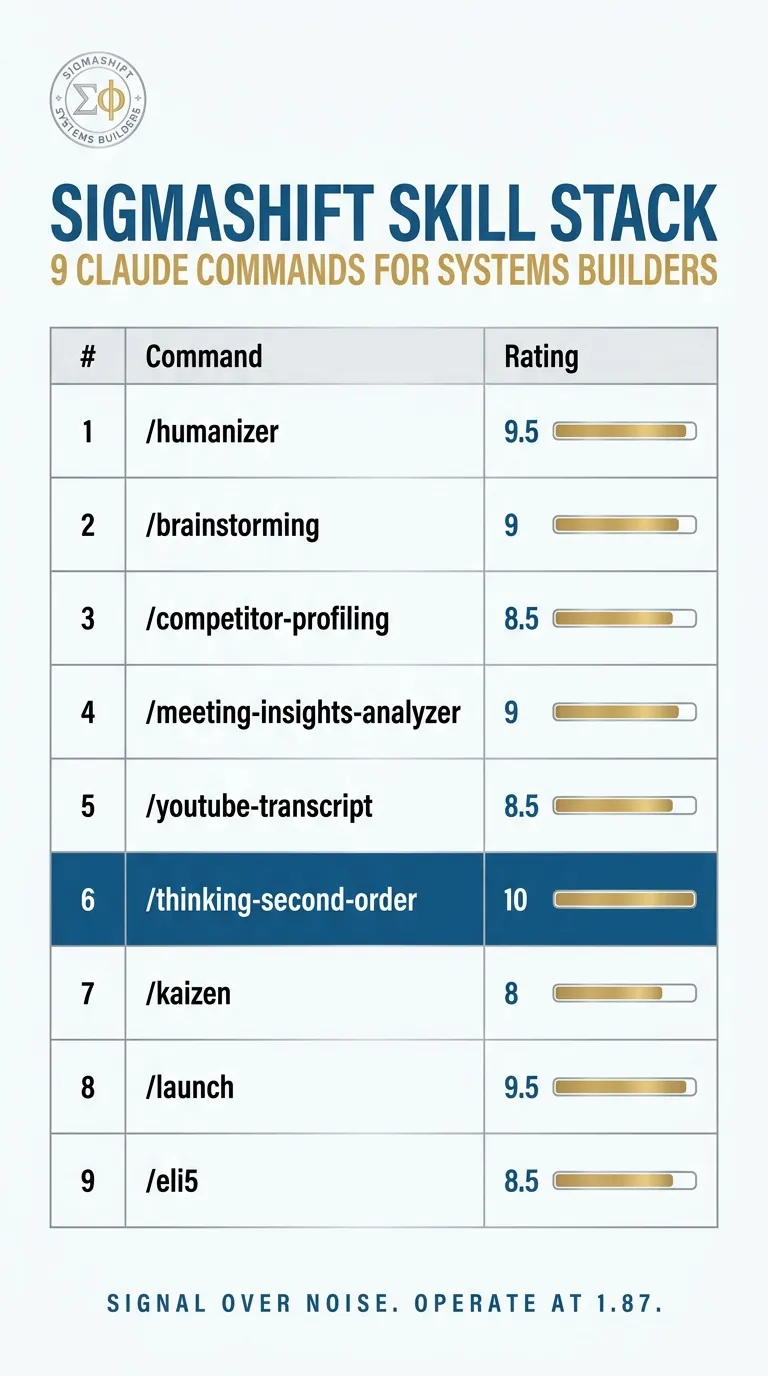
SigmaShift Skill Stack: 9 Claude Commands for Systems Builders
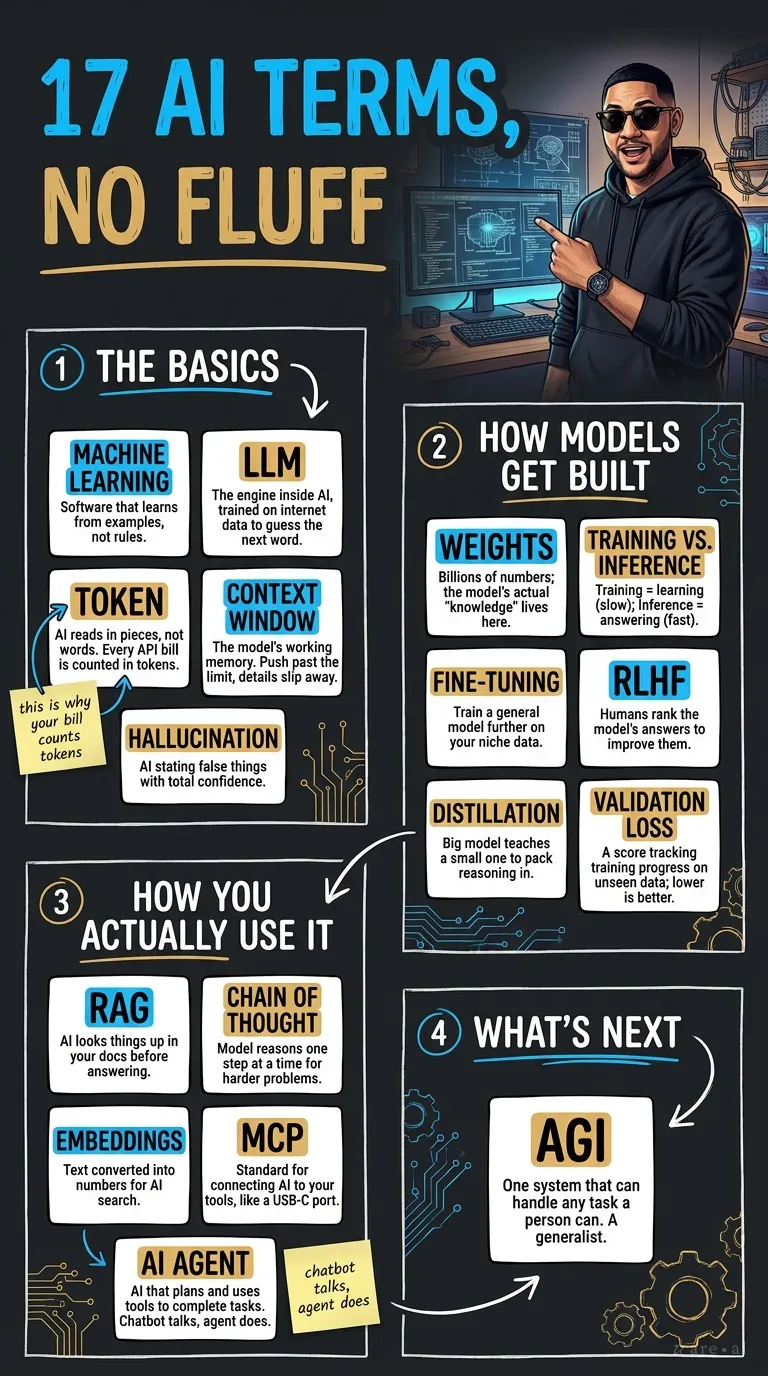
17 AI Terms, No Fluff
My first Claude prompts looked like a legal contract written during a fire drill. Role, tone, format, constraints, three examples, and a paragraph of caveats. It worked until it didn't, and when it didn't, I had no idea which sentence was responsible. Here is the framework. Save single-instruction commands once. Call them when you need them. One job per command. To be clear: none of these are built into Claude. Each one is a single instruction you write yourself. In Claude Code, you save each as a file in .claude/commands/ and invoke it with a slash and the filename. In the Claude app, you add them to a Project's instructions and type the name. Same idea, different plumbing. I run sixteen of them, and they fall into three groups by job. Reasoning and stress-testing. /ooda forces observe, orient, decide, act, in that order. /devil argues the opposite side. /premortem assumes the plan already failed and asks why. /steelman rebuilds the opposing view at full strength. /assumptions lists what I'm taking for granted. /redteam attacks the plan like an adversary. /secondorder traces consequences past the obvious one. /matrix lays options against criteria. These commands exist because I am an excellent source of confident mistakes. Output shaping. /brief compresses the answer. /artifacts pushes the result into a standalone deliverable. /steal extracts the reusable pattern from an example. /roast critiques my draft without padding. /godmode is my own shorthand for a maximum-effort pass, and since it's just a file I wrote, it does exactly what the file says and nothing mystical. Focus control. /silent kills commentary and returns only the output. /ghost strips the conversational voice. /lockin holds the current task and refuses tangents. Now the argument. A monolithic prompt bundles many instructions, and instructions interact. Change one line and you've changed the whole system without knowing which behavior moved. A single-job command is a unit. It has one purpose, so when output drifts, I know where to look. That is the difference between debugging and guessing. It's also reproducible. The command lives in a file, the file has a name, and the name never changes. Same input, same instruction, comparable output. I can diff the file, version it, and review it later. That is the audit-safe habit I apply to everything I build: modular parts, deterministic names, nothing living only in my memory. Here is a complete command file. Save this as .claude/commands/premortem.md: Assume the plan below has already failed six months from now. List the five most likely causes, ranked by probability. For each, give one early warning sign and one preventive action. No preamble. That's the whole file. I type /premortem, paste the plan, and get the same structure every time. Chaining works the same way: /assumptions, then /redteam, then /brief. Three small calls beat one sprawling paragraph I'd have to re-read to trust. It took me an embarrassing number of oversized prompts to learn that a longer instruction is not a smarter one. Takeaway: write each instruction once, give it one job and one name, and call it instead of retyping it.
Stop Writing One Giant Prompt. Save Small Commands.
Discover more content and chat further with Kurt Warner, or on
By using this service, you agree to the Terms of Service and Privacy Policy.