
1. Step 1Build your AI4 tools and support
  2. Step 2Share your AI7 tools
  3. Step 3Scale your business6 tools
Step 1 of 3

Build your AI

An AI that knows your business and works the way you do.

Add the documents you already use with clients, and your AI learns from them. Guidance is built into the product, and our team can build it with you.
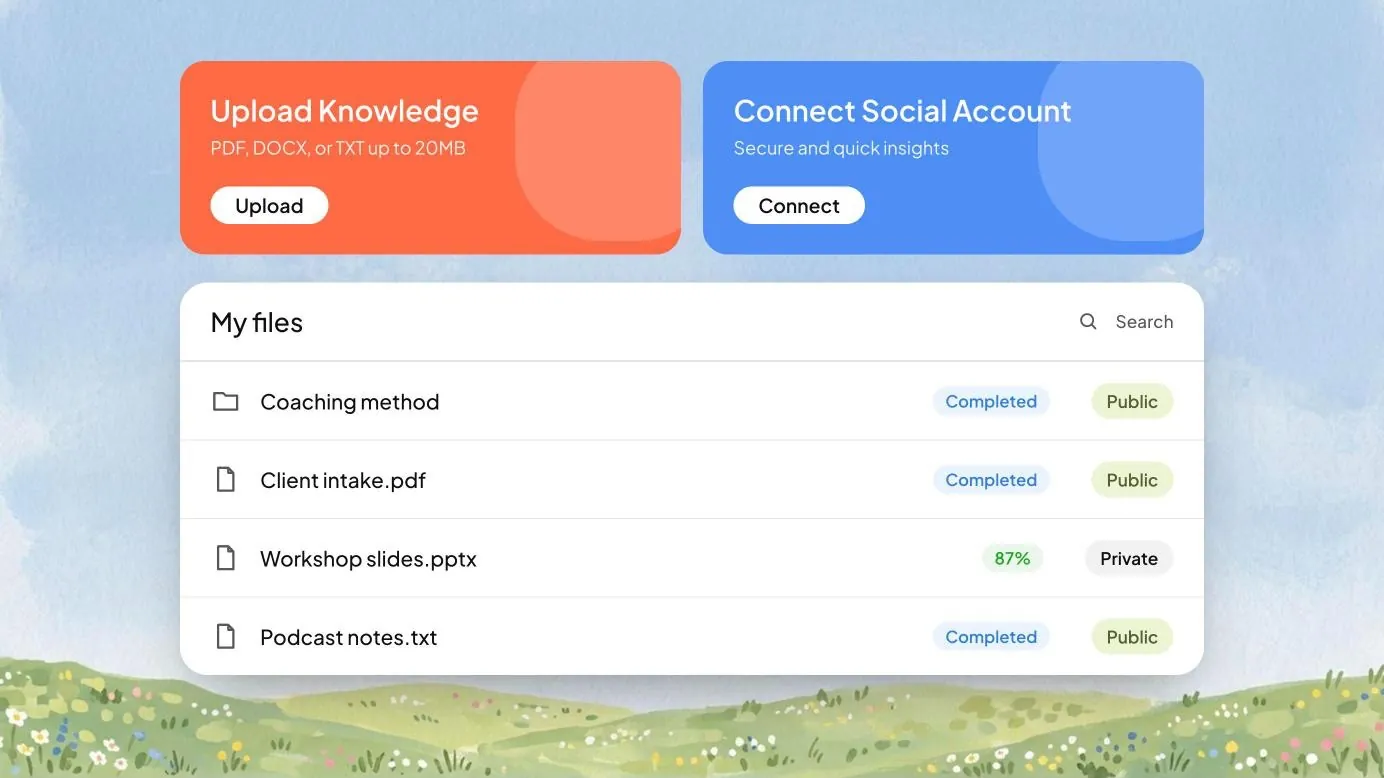
The Knowledge Hub
Your plan for this step

What you do in Build your AI.

  1. 1
    Add your documents

    The files you already use with clients go in the Knowledge Hub. You choose which are public and which stay private.

  2. 2
    Connect your systems

    Sign in once to Gmail, Google Docs, Slack or Notion, and your AI works inside them.

  3. 3
    Teach it one task

    Show it something you repeat, like a session recap. Save it as a Skill, and it does it your way every time.

  4. 4
    Draft your first document

    Ask for a proposal, guide or playbook. Edit it, and every version is saved.

What you’ll have

Your own AI, answering from your material and working inside the systems you already use.

Who does what
You
Your documents, one sign-in per system, and your edits.
Your AI
Learns from what you add and follows your Skills.
Our team, on Enterprise
Sets up your Knowledge Hub and first Skills with you.
The tools in this step

Build your AI from what you already have.

With guidance built into the product, and our team to help you apply it across your business.

Your Human Learning ModelYour own AI, made from your knowledge. It powers every tool you use on Uare.ai.
Self-serve, Professional

Guidance built into the product

It asks about your business and who you serve, shows you what to set up first, and lays out the next step as you go.

Full service, Enterprise

Our team builds with you

A person from Uare.ai maps it out and builds with you, from first setup to launch, on larger and more complex projects.

Along the way, real examples from businesses like yours
Knowledge Hub: files your AI has learned from

Knowledge Hub

Add the documents you already use with clients. Your AI learns from them.
More about Knowledge Hub
What it is
Your AI learns from the documents, notes, recordings and web pages you add. You decide which files are public and which stay private.
For your business
Your AI answers from your own material, the way your business would.
What you bring
Whatever you already have.
In practice
  • Training or L&D. Lessons, workbooks and session recordings.
  • Financial advice. Your client FAQ, welcome pack and planning guides.
  • Author. Your manuscript, research notes and talks.
Every tool in the glossary
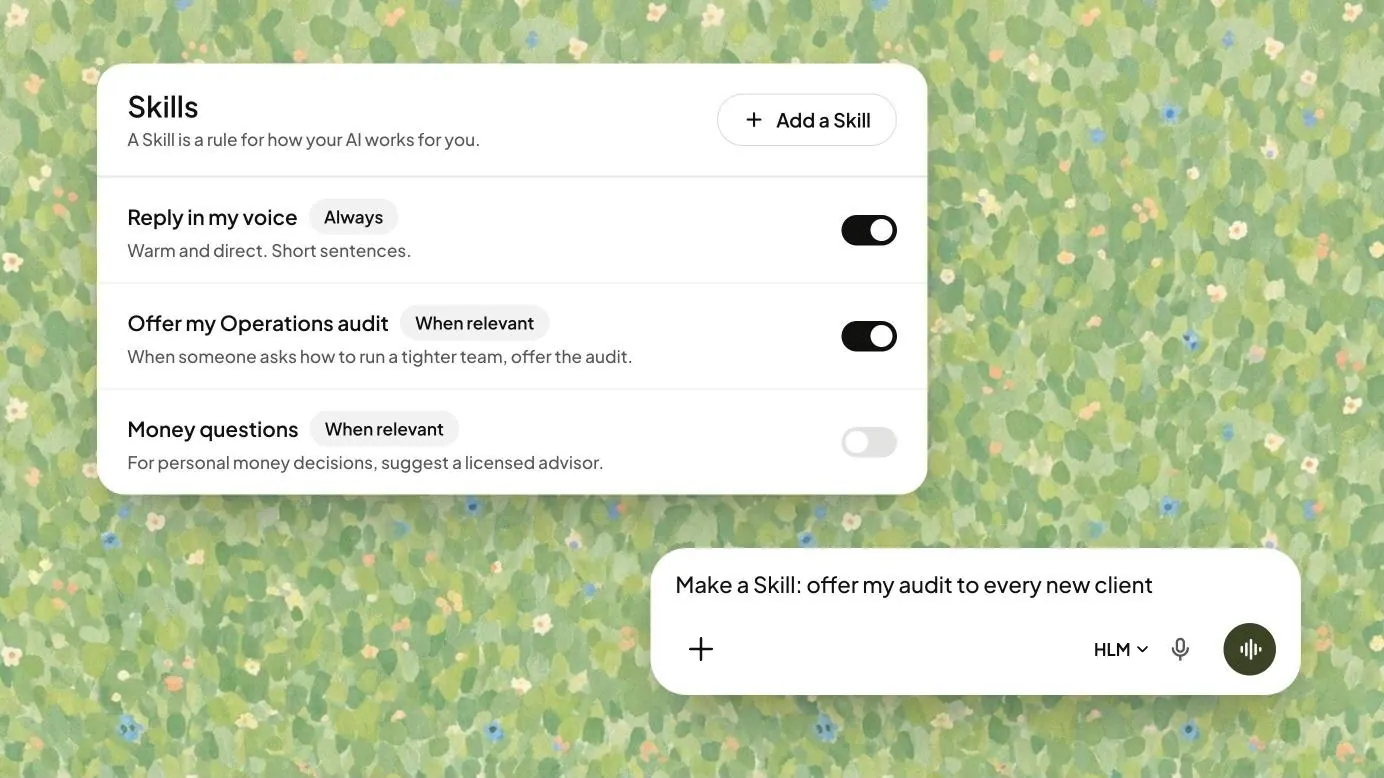
Skills: a list of Skills with on and off switches

Skills

Show your AI how you handle a task once. It does it your way every time.
More about Skills
What it is
Instructions your AI follows for a task you repeat, set up in a conversation.
For your business
Your AI handles the routine work your way, and you focus on the rest.
What you bring
A task you repeat, and how you like it done.
In practice
  • Training or L&D. Session recaps in your format.
  • Financial advice. Meeting-prep notes in your structure.
  • Author. Newsletter drafts in your usual style.
Every tool in the glossary
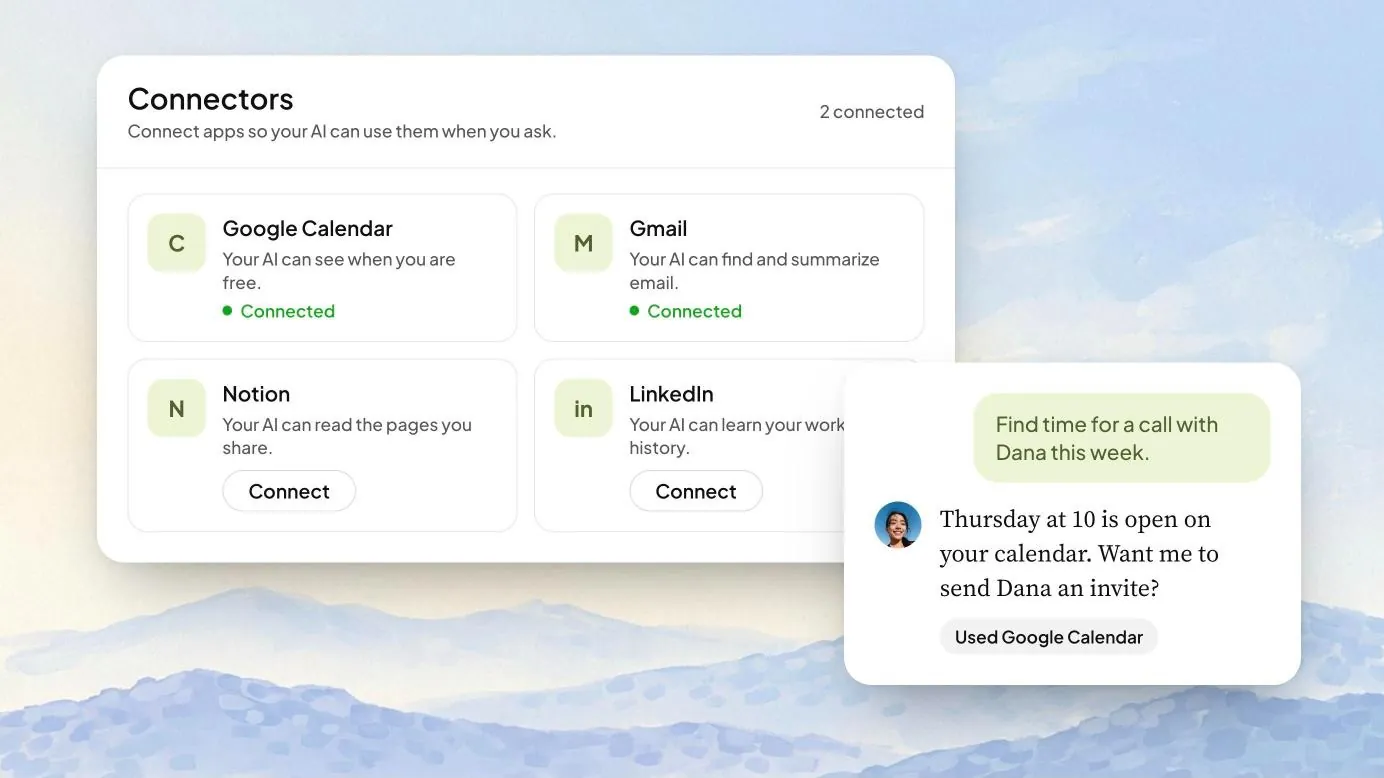
Connectors: Google Calendar and Gmail connected

Connectors

Your AI works inside the systems you already use, like Gmail, Google Docs and Slack.
More about Connectors
What it is
Connections between your AI and the systems you already use, like Gmail, Google Docs, Slack and Notion.
For your business
Your AI drafts emails in your inbox and updates your docs, right where you already work.
What you bring
A one-time sign-in to each one.
In practice
  • Training or L&D. Follow-up emails to learners, drafted in your inbox.
  • Financial advice. Notes from client calls, filed in your shared docs.
  • Author. Your launch plan, kept current in Notion.
Every tool in the glossary
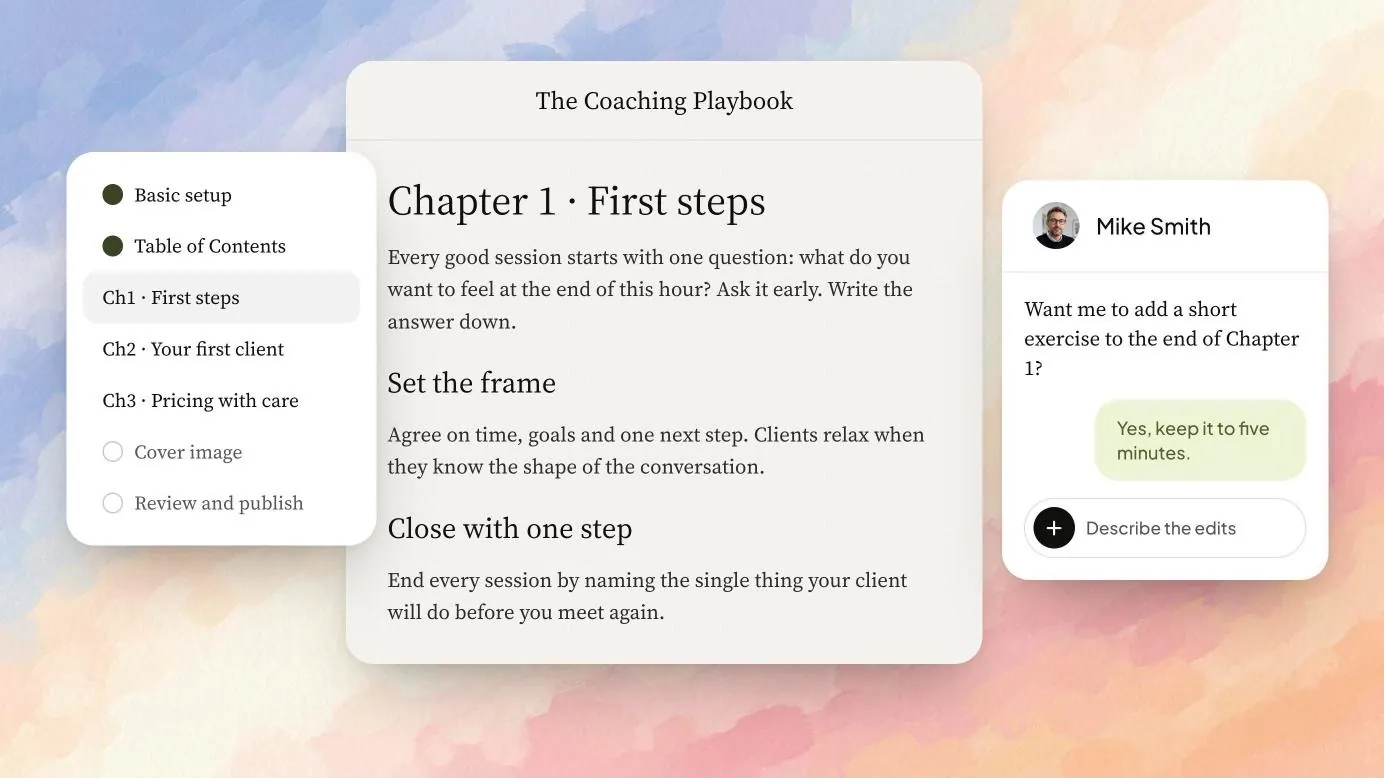
Artifacts: a playbook being written with the AI

Artifacts

Your AI writes the documents your business runs on, like proposals, guides and playbooks, the way you’d write them.

More about Artifacts
What it is
A workspace where your AI writes long documents with you and saves every version.
For your business
Your know-how turns into finished documents you can send to clients or hand to your team.
What you bring
A request, and your edits.
In practice
  • Training or L&D. A facilitator guide for every program.
  • Financial advice. A plan summary for each client.
  • Author. A reading guide for every book club.
Every tool in the glossary
Next, step 2Share your AI

Clients and your team can ask your AI anything, any time.

Take the business you built further.

Build an AI from your expertise, then use it to serve your clients, sell what you know and grow your business.